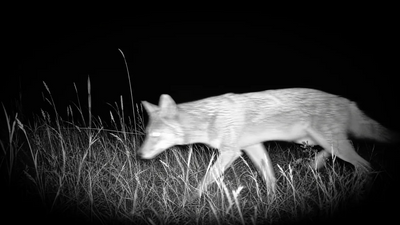
A blurry image is one of the most common issues new night vision users experience.
The good news? In most cases, your device isn't defective. The problem is usually caused by focus adjustment, viewing distance, or infrared settings—not the night vision device itself.
Here are a few simple steps to help you achieve the clearest possible image.
1. Use the Focus Wheel
One of the most common mistakes is relying on digital zoom to improve image quality.
Digital zoom only enlarges the image—it doesn't improve focus.
Instead, use the focus wheel to adjust the lens until your subject appears sharp and clear.
When observing trees, fences, or wildlife, small adjustments often make a noticeable difference.
2. Refocus When Viewing Different Distances
Manual focus changes with distance.
If you've focused on an object nearby and then switch to something much farther away, the image will likely become soft or blurry.
Whenever your viewing distance changes significantly, simply adjust the focus wheel again until the image becomes clear.
3. Start with a High-Contrast Object
If you're having difficulty finding the correct focus, begin with an object that's easy to identify.
Good examples include:
- A tree trunk
- A fence post
- A building corner
- A road sign
Turn the focus wheel slowly until edges and textures appear sharp before moving to more distant subjects.
4. Adjust the IR Brightness
If you're observing in complete darkness, infrared illumination plays an important role in image quality.
Using an IR level that's too low may result in a darker, grainier image.
Using an excessively high IR level at close distances may reduce contrast or overexpose nearby objects.
For the best results, gradually adjust the IR brightness based on your viewing distance and surrounding environment.
5. Clean the Objective Lens
A fingerprint, dust, or moisture on the objective lens can also reduce image clarity.
Before heading outdoors, gently clean the lens using a microfiber cloth designed for optical equipment.
Keeping the lens clean helps maintain the best possible image quality.
Final Thoughts
In most cases, blurry night vision images are easy to fix.
A quick focus adjustment, the correct IR brightness, and a clean objective lens will usually provide a much clearer viewing experience.
With a little practice, focusing your night vision device becomes second nature and only takes a few seconds.
Get the Best Image Every Time
Most blurry images are caused by improper focusing, incorrect IR settings, or unrealistic expectations of digital zoom—not by the device itself. A few simple adjustments can dramatically improve image quality in the field.
Explore more TELUHA setup guides or visit our Support Center for additional tips and troubleshooting.