One of the most common questions from new night vision users is:
"Why can't I see as far as I expected?"
In most cases, the answer isn't the night vision goggles—it's how the infrared (IR) illuminator is being used.
Digital night vision devices rely on infrared light to produce clear images in complete darkness. Learning how to use your IR illuminator correctly can significantly improve image quality, viewing distance, and overall nighttime performance.
Here's what every user should know.
What Does an IR Illuminator Do?
Unlike traditional image intensifier night vision, digital night vision goggles require infrared light when there's little or no natural light available.
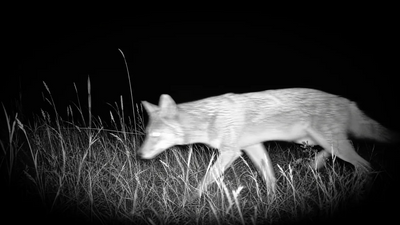
The IR illuminator projects invisible infrared light onto the surrounding environment. Your night vision sensor captures the reflected light and converts it into the image you see on the display.
Without sufficient infrared illumination, even the best digital night vision device will struggle to produce a clear image in complete darkness.
Choose the Right IR Brightness
Many users assume that the highest IR setting always delivers the best performance.
In reality, that's not always true.
At close distances, excessive IR brightness can overexpose nearby objects, reducing detail and contrast.
At longer distances, increasing the IR level helps illuminate subjects farther away, improving visibility.
As a general guideline:
- Low IR levels work well for nearby subjects.
- Medium IR levels are suitable for most outdoor observation.
- Higher IR levels are best reserved for long-distance viewing in complete darkness.
Adjusting the IR brightness based on your surroundings usually produces better results than simply leaving it at the maximum setting.
Focus Before Using Digital Zoom
Another common mistake is relying on digital zoom before achieving proper focus.
Always adjust the focus wheel first until your subject appears sharp.
Only then should you use digital zoom if you need to observe additional detail.
A well-focused image with moderate zoom almost always looks better than a blurry image viewed at maximum magnification.
Understand 850nm and 940nm Infrared
Most digital night vision devices use one of two infrared wavelengths.
850nm IR
- Longer effective illumination distance
- Commonly used across digital night vision devices
- Produces a faint red glow visible from the front of the illuminator
940nm Invisible IR
- Invisible to the naked eye
- Better suited for discreet observation
- May provide a shorter effective illumination distance than comparable 850nm systems
Neither option is universally better.
If maximum viewing distance is your priority, 850nm is often preferred.
If discreet nighttime observation is more important, 940nm Invisible IR offers a significant advantage.
Weather Matters More Than You Think
Even the best night vision goggles cannot completely overcome environmental conditions.
Fog, heavy rain, snow, smoke, and airborne dust scatter infrared light before it reaches your subject.
As a result, you may notice:
- Reduced viewing distance
- Lower image contrast
- Increased glare
- More visible image noise
Whenever possible, observe in clear weather for the best nighttime performance.
Common Mistakes to Avoid
Even experienced users occasionally make simple mistakes that affect image quality.
Here are a few of the most common ones:
Using Maximum IR Brightness at Close Range
Higher isn't always better.
If your subject is nearby, excessive infrared illumination can make bright objects appear washed out and reduce overall image detail.
Start with a lower IR level and increase it only when necessary.
Forgetting to Refocus
Manual focus changes with viewing distance.
If you move from observing something 30 yards away to a subject several hundred yards away, you'll likely need to adjust the focus wheel again.
A quick focus adjustment usually restores image sharpness within seconds.
Relying Only on Digital Zoom
Digital zoom enlarges the image—it doesn't improve image quality.
For the clearest results, always focus first and then use digital zoom only when additional magnification is needed.
Looking Through Glass
Infrared light reflects off windows and other glass surfaces.
If you're using your night vision device from inside a vehicle or building, the reflected IR light may create glare and significantly reduce image quality.
Whenever possible, observe with the device positioned outside the glass.
Safety Tips When Using Infrared Illumination
Infrared light is invisible, but it is still a powerful light source.
For safe operation:
- Never look directly into the IR illuminator.
- Avoid pointing the IR beam directly into another person's eyes at close range.
- Store your device safely when not in use.
- Follow the manufacturer's operating instructions for your specific model.
Using your night vision device responsibly helps protect both the equipment and those around you.
Final Thoughts
Getting better nighttime performance isn't just about buying a more powerful device.
Learning how to use your infrared illuminator, adjusting the focus correctly, and selecting the appropriate IR brightness for your environment can make a significant difference in image quality.
With a little practice, you'll be able to capture clearer images, identify subjects more easily, and get the most out of your digital night vision goggles in a wide range of outdoor conditions.
Get More From Your Night Vision
Proper focusing, IR adjustment, and understanding your environment can often improve image quality more than increasing digital zoom.
Compare TELUHA models and learn which features best support long-range observation.